
Adding multiple images to a Gift Card product
At Govalo, we understand the importance of multiple gift card images. To upload additional images follow the steps below:
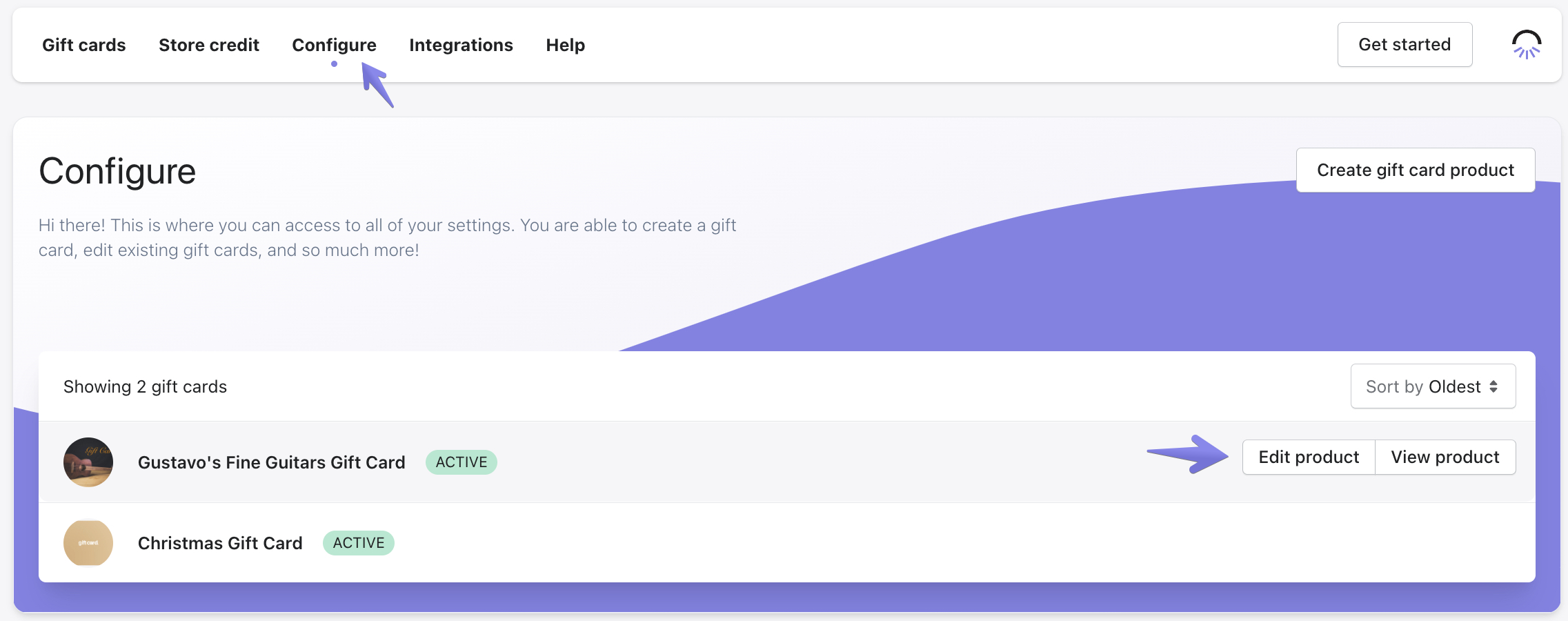
- In the Govalo app, go to Configure and select the gift card product that you would like to add an additional image to:
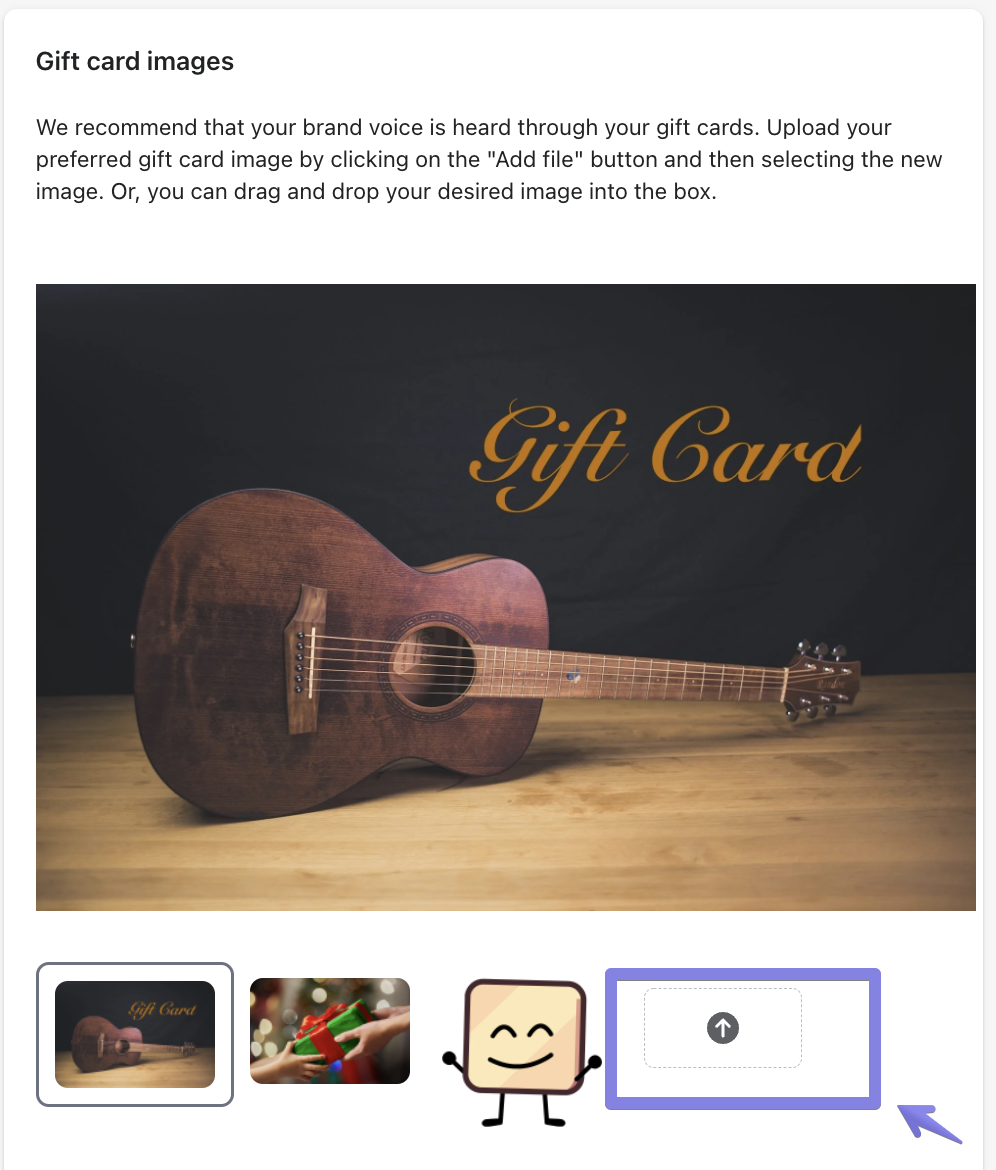
- Click on the upload button or drag and drop the image you would like to add:
- Once the new image is loaded, make sure to Save your changes.
We follow the same specifications for images as the ones determined by Shopify, therefore the limits are:
- Max image size: 4472 x 4472 pixels
- Max image file size: 20 MB
Updated on: 29/06/2026
Thank you!