
How to update the gift card balance
Adjusting the balance in an active gift card is possible and really easy:
- In the Govalo app, go to the Gift cards dashboard, then locate the gift card for which you wish to adjust the balance, and access its details page:

- Click on Actions, then Update balance:

- Type the value you wish to add to the card, or subtract from it, then click Update balance:
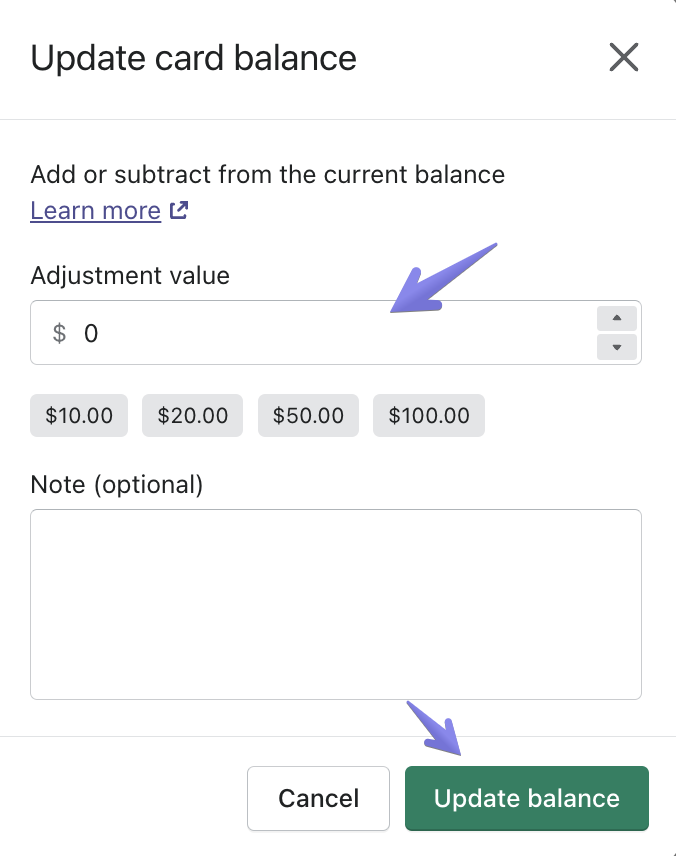
You can type in a positive value to add to the card, or a negative value to subtract from it. For instance, if you have a $10 gift card:
- Type "5" to make it a $15 card
- Type "-3" to make it a $7 card
Updated on: 29/06/2026
Thank you!